
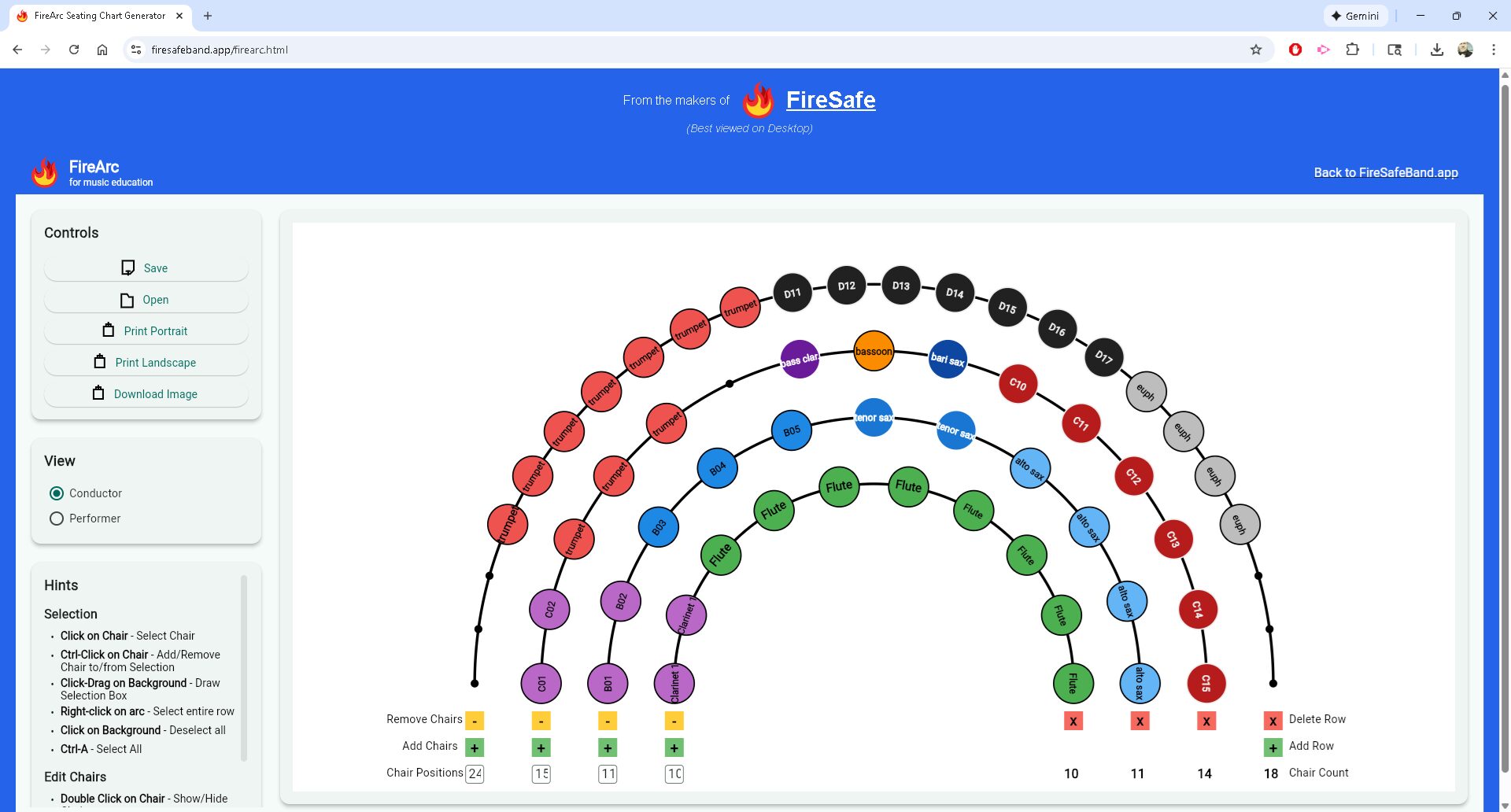
FireArc Leads the Pack
Band directors spend hours every year arranging seating charts—balancing sightlines, acoustics, section blend, and student dynamics. The right tool can cut that time in half and make the result look professional. Here’s my current ranking of the four most popular online seating chart generators as of late 2025.
1. FireArc (firesafeband.app/firearc.html) – The Modern Winner
FireArc is the clear leader right now. Built with Flutter/Dart, it feels like a polished native app (web and mobile) rather than a decade-old JavaScript page. The interface is clean, responsive, and intuitive—drag entire rows up/down with one click, reorder chairs instantly, and see real-time previews. You can switch between straight, curved, or tiered stage layouts on the fly, label chairs with numbers or letters, color-code by section, and export clean PDFs or images. It also supports multiple charts per ensemble (concert band, symphonic, jazz, etc.) and saves your preferences.
Most importantly, FireArc is actively developed. Updates come regularly, and the developer listens to feedback. It’s free for basic use, with a low-cost Pro tier that unlocks unlimited charts and advanced exports. If you’re tired of the old-school look and limited interaction of the bgreco tool, FireArc feels like the obvious upgrade.
2. bgreco.net/band – The Classic Everyone Still Uses
This is the one most directors have bookmarked for years. It’s simple, free, and does exactly what it promises: drag names into chairs, adjust a few layout options, and export a PDF. No login, no ads, no nonsense. The tool is stable and reliable, and the PDF outputs are clean enough for most programs.
The downsides are obvious in 2025: the UI is dated (feels like early 2010s), mobile support is poor, and there’s no row-level drag or undo/redo. It’s still a solid choice if you need something quick and don’t care about polish, but it hasn’t been updated in years and shows its age next to newer tools.
3. Glissandoo (glissandoo.com/en/seating-chart)
Glissandoo is a newer European tool with a modern interface and some nice features: drag-and-drop, curved stage options, section color-coding, and multi-chart saving. It’s responsive on tablets, which is a plus for directors working on the go. The PDF exports look professional, and the free tier is generous.
Where it falls short is in flexibility and depth. Row reordering is limited compared to FireArc, and the stage templates feel a bit rigid. It’s a good middle-ground option if you want something more modern than bgreco but don’t need FireArc’s full feature set.
4. SeatingCh.art (seatingch.art)
This is another recent entry with a minimalist design. It supports drag-and-drop, basic templates, and clean exports. The interface is simple and works well on mobile devices.
However, it lacks advanced features like row-level drag, multiple saved charts per ensemble, or extensive stage customization. It’s functional for small programs but feels underpowered for directors juggling large ensembles or multiple bands.
Bottom Line
FireArc is the best choice in 2025. Its modern Flutter/Dart foundation, smooth drag-and-drop (including full row reordering), flexible stage layouts, and active development make it the clear upgrade over the bgreco.net classic. Glissandoo and SeatingCh.art are solid alternatives if you prefer their specific aesthetics, but they don’t match FireArc’s polish or power. If you’re still using the old JavaScript tool out of habit, give FireArc a spin—it’s free to start and will likely become your new default.